
Download MobiKin Eraser – Secure Data Wipe Tool for Android
Overview
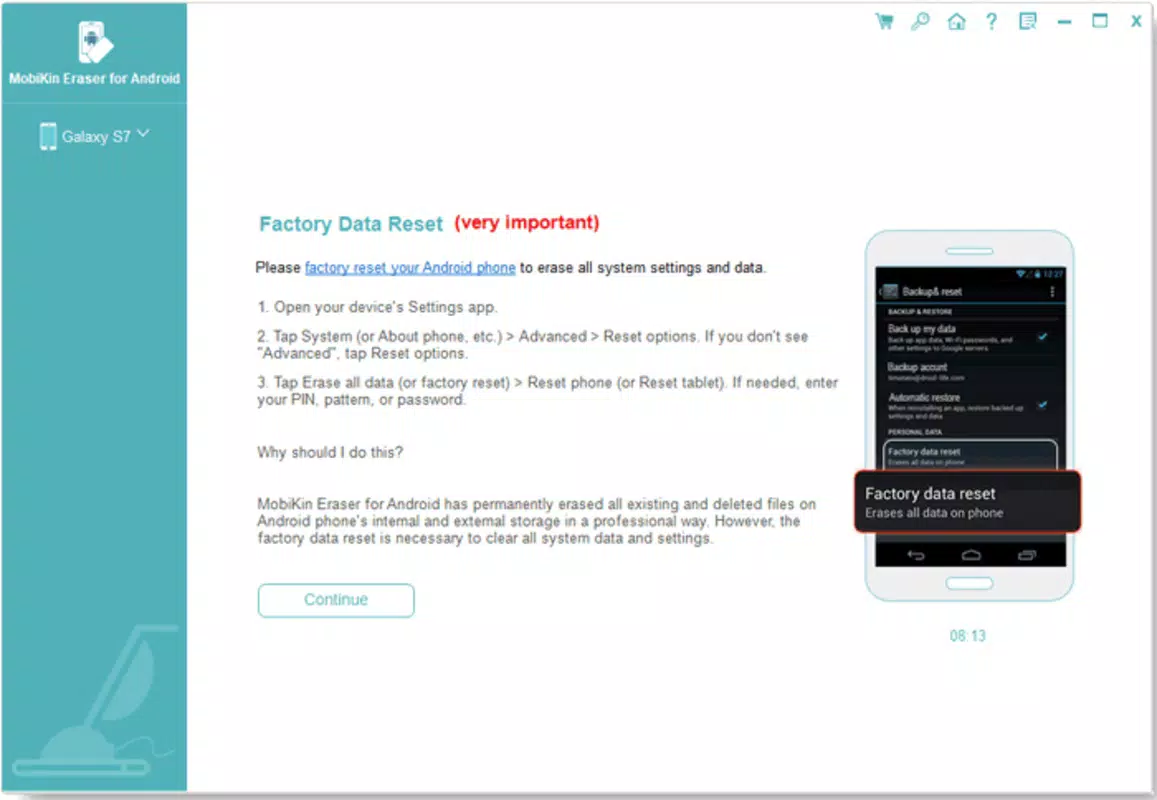
MobiKin Eraser is a specialized mobile application designed to ensure the permanent deletion of data from Android devices, addressing a critical gap in standard device reset procedures. Unlike factory resets, which often leave recoverable traces of information, MobiKin Eraser employs advanced data erasure techniques to render deleted files irretrievable. This makes it an essential utility for users prioritizing privacy, particularly those preparing to sell, donate, or repair their smartphones. The app targets individuals who handle sensitive personal or professional data, including financial records, login credentials, and private communications. Its primary function is to eliminate digital footprints that could otherwise be exploited by unauthorized parties. Although the developer did not provide additional background details, the tool’s focused functionality suggests a dedicated development team specializing in data security. Real-world use cases include protecting user privacy during device turnover, complying with data protection standards in professional environments, and preventing identity theft. In the broader mobile app ecosystem, MobiKin Eraser fills a niche demand for reliable, secure data deletion tools, offering a solution where generic recovery methods fall short. Its presence underscores growing user awareness of digital privacy risks and the need for robust safeguards beyond default system options.
Key Features & Functionality
- Complete Data Erasure: The app ensures that all data, including files previously deleted and hidden from view, is permanently removed using multi-pass overwrite methods. This prevents recovery through third-party data recovery software.
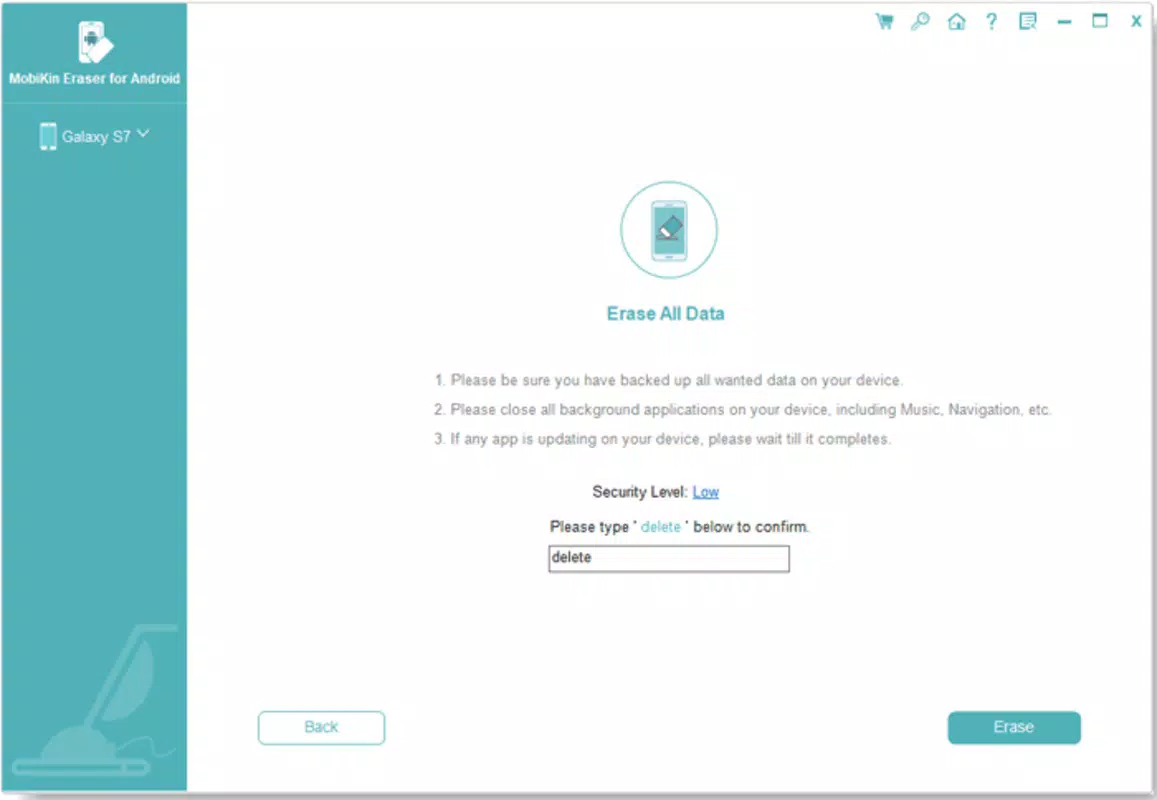
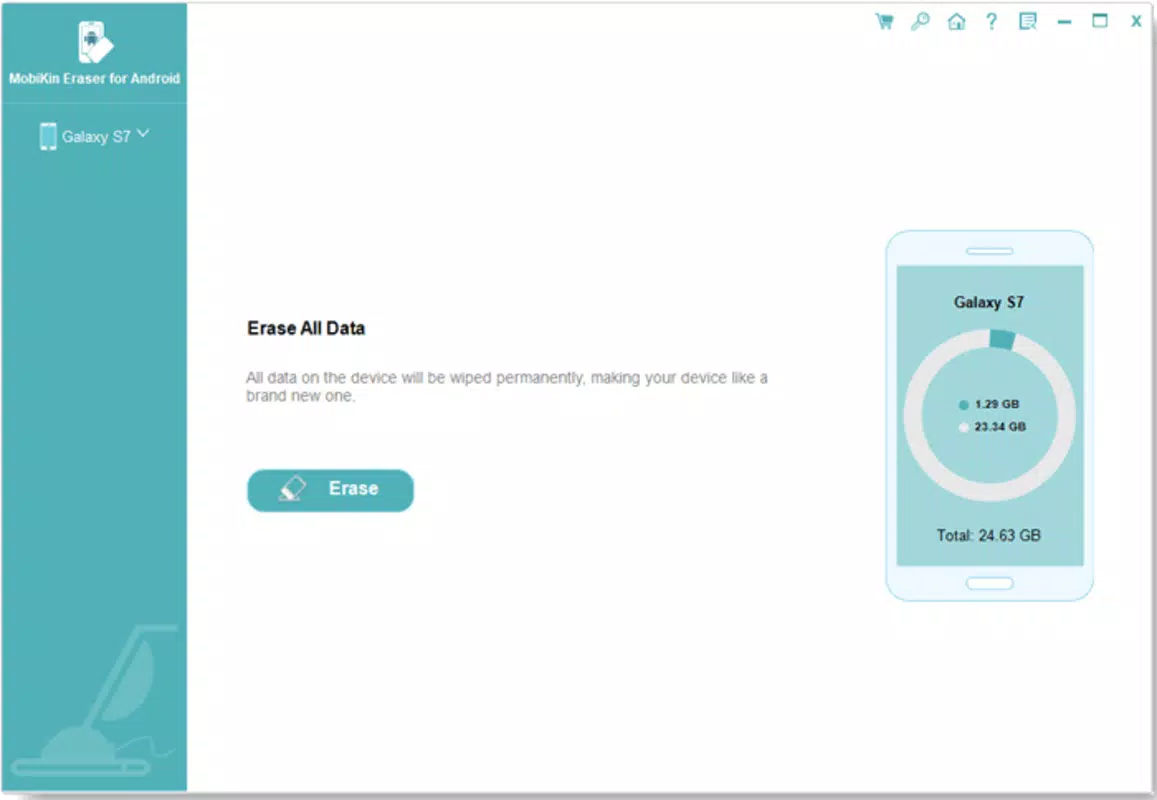
- User-Friendly Interface: Designed for accessibility, the interface guides users step-by-step through the erasure process after device connection to a computer, minimizing technical barriers for non-expert users.
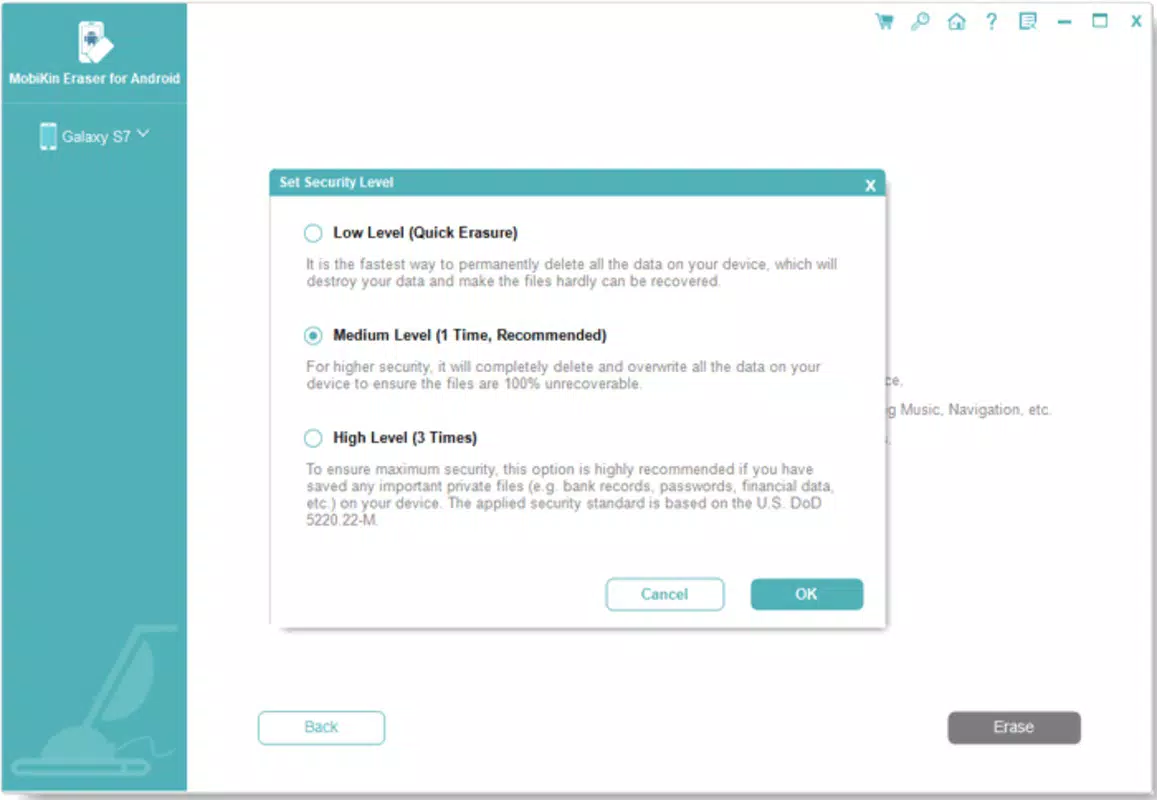
- Customizable Security Levels: Users can select from varying erasure intensities based on the sensitivity of their data, allowing for tailored protection ranging from standard to military-grade wiping.
- Broad Device Compatibility: MobiKin Eraser supports a wide range of Android devices, ensuring usability across different manufacturers and model types without requiring specific hardware configurations.
- Safeguard Your Privacy: By eliminating access to accounts, passwords, and financial information, the tool helps users maintain control over their digital identity and reduces the risk of data breaches during device transfer.
For example, a user planning to sell an old smartphone can use MobiKin Eraser to wipe all personal data, including cached login sessions and app data, ensuring that the new owner cannot access their accounts. Similarly, professionals handling confidential client information can use the app to securely dispose of company-issued devices. The ability to choose security levels allows users to balance speed and thoroughness based on their risk tolerance. Each feature directly contributes to enhancing data privacy and reducing the likelihood of unauthorized data recovery.
Interface, UX & Performance
The user interface of MobiKin Eraser is designed with simplicity and clarity in mind, focusing on minimizing user errors during critical data erasure tasks. Upon connecting an Android device to a computer, the app launches a guided workflow that walks users through each stage, from device recognition to erasure confirmation. The visual layout emphasizes essential controls and status indicators, reducing cognitive load and preventing accidental missteps. Navigation is linear and intuitive, with clear progress tracking and confirmation prompts before irreversible actions. Although the developer did not list formal performance metrics, the tool appears optimized for responsiveness across a range of computing environments. Users can expect stable operation during the erasure process, with minimal risk of crashes or freezes. The app maintains consistent performance regardless of device storage capacity or data volume, though specific benchmarks were not disclosed. Compatibility with different device categories—such as mid-range and high-end smartphones—was not fully detailed, but the broad device support claim suggests adaptability. Overall, the UX design prioritizes safety and clarity, aligning with best practices for security-focused applications where user error could lead to irreversible data loss.
Platform Compatibility & Technical Requirements
MobiKin Eraser is designed for Android devices and requires connection to a computer for operation. The app is compatible with the latest versions of Windows and macOS, though specific OS requirements were not listed. The application file size is approximately 55.6 MB, making it lightweight and easy to download and install. The software version is 2025.6.13, indicating a recent update cycle. The release date of the app is June 13, 2025. While the developer did not specify minimum OS requirements or device-specific compatibility details, the broad compatibility claim suggests support for most modern Android smartphones. No information was provided about required permissions, hardware specifications, or cloud dependencies. Users should ensure their computer meets general software execution standards to run the application smoothly. The absence of detailed technical specifications does not detract from the app’s core functionality, as its operation is focused on secure data deletion rather than complex system integration.
Pros and Cons
- Guarantees permanent data deletion beyond factory reset
- Intuitive interface suitable for non-technical users
- Offers customizable security levels for different data sensitivity needs
- Supports a wide range of Android devices
- Effective for privacy protection during device resale or transfer
- Requires a computer for operation, limiting standalone use
- Specific OS and device compatibility details not disclosed
- May take longer to complete erasure on devices with large storage capacity
- Does not provide real-time monitoring or logging of the erasure process
- Available only via desktop software, not a native mobile app
FAQ
Is MobiKin Eraser safe to use?
Yes, the tool is designed to securely erase data using industry-standard overwrite methods. It ensures that no recoverable traces remain after the process is complete.
Can I use MobiKin Eraser on any Android device?
The app supports a wide range of Android devices, though specific compatibility details were not provided by the developer. It is recommended to verify device support before use.
Does MobiKin Eraser require a computer?
Yes, the application runs on a computer and requires the Android device to be connected via USB for data erasure.
How long does the data erasure process take?
Processing time depends on the device’s storage capacity and selected security level. Larger devices or higher security settings may extend the duration.
Is MobiKin Eraser free to download?
While the provided information does not specify pricing, the app is available for download and installation through official channels. Users should verify the current pricing model before use.
Final Thoughts
MobiKin Eraser stands out as a reliable and focused solution for users seeking to permanently erase data from Android devices. Its ability to go beyond factory resets and ensure complete data destruction makes it indispensable for anyone concerned about digital privacy. The intuitive interface lowers the barrier to entry for non-technical users, while customizable security levels offer flexibility for varying risk profiles. Although the tool requires a computer and lacks detailed technical disclosures, its core functionality remains robust and purpose-built. It is particularly valuable for individuals preparing to sell or recycle their devices, as well as professionals managing sensitive information. For those prioritizing security and peace of mind, MobiKin Eraser delivers a strong value proposition. Download MobiKin Eraser now to ensure your data is truly gone.


